It’s 7:45 AM on a Tuesday.
You are sipping lukewarm coffee, staring at your lesson plan book, and mentally juggling the needs of your 28 students.
You have three students with IEPs for specific learning disabilities, two students on 504 plans for ADHD, four English Language Learners (ELLs) at varying levels of proficiency, and a handful of students who are navigating trauma or difficult home lives.
And, amidst all of this, you have state standards to hit and a pacing guide that feels like it’s breathing down your neck.
If you feel overwhelmed, I want you to take a deep breath and hear this: You are doing a hard thing.
Teaching in the United States today is infinitely more complex than it was twenty years ago. We aren't just delivering content; we are managing ecosystems. We are trying to ensure that every child—regardless of their neurology, physical ability, or cultural background—feels safe, seen, and capable of learning.
The buzzwords get thrown around in professional development sessions constantly: Inclusion. Culturally Responsive Teaching. Accessibility. But often, these initiatives feel like "one more thing" to add to an already overflowing plate.
Today, let’s strip away the jargon and the administrative pressure. Let’s talk peer-to-peer about how we can weave these concepts together to create a classroom that actually works better for everyone—including you.
The Intersection: Where Special Needs Meets Culture
For a long time, education treated "Special Education" and "Multicultural Education" as two separate silos. You either had a learning disability, or you had a cultural difference. But our students don't live in silos.
We have to recognize the concept of intersectionality. A student might be navigating dyslexia while also coping with the cultural dissonance of a curriculum that doesn't reflect their heritage. A student might be non-verbal and autistic, coming from a family structure that views disability through a very specific cultural lens.
When we talk about inclusive education, we are talking about a holistic approach. We are moving away from "fixing" the student to fit the system, and toward designing a learning environment that anticipates diversity.
This is the core of Universal Design for Learning (UDL). Instead of planning for the "average" student (who doesn't really exist) and then retrofitting accommodations for everyone else, we design our lessons for the margins from the start. When we do this, the "middle" takes care of itself.
Culturally Responsive Teaching (CRT): More Than Just a Poster
Culturally Responsive Teaching is often misunderstood. It isn't just about having a diverse library (though that is essential) or celebrating Heritage Months. It is about how the brain learns.
Zaretta Hammond, a leading voice in this field, reminds us that the brain seeks safety and connection before it can process complex information. If a student feels their culture is invisible or undervalued in the classroom, their brain stays in a state of low-level stress, inhibiting learning.
Here are practical ways to weave CRT into your daily routine without rewriting your entire curriculum:
1. Audit Your Examples
When you create word problems in math, write sentences for grammar practice, or choose historical analogies, who is represented?
- The Shift: Instead of generic names or scenarios, use references to local community landmarks, popular cultural figures relevant to your students, or names that reflect the demographics of your class.
- The Impact: It signals to students, "I see you. This lesson is for you."
2. Valuing Oral Traditions and Collectivism
Many American schools prioritize individualism and written communication. However, many of our students come from collectivist cultures that value oral storytelling and group success.
- The Strategy: Allow students to "talk out" their drafts before writing. Use "Gamify" structures where the group competes against the teacher, rather than students competing against one another.
- The Connection: This helps students with specific learning disabilities (like dysgraphia) just as much as it helps students from oral-tradition backgrounds.
3. Pronunciation is Respect
This sounds small, but it is massive. Mispronouncing a student's name repeatedly is a microaggression that erodes trust.
- The Action: If you struggle with a name, ask the student to record it on a device (or your phone) privately. Practice it until you get it right. Correct other students (and colleagues) when they get it wrong.
Supporting Students with Special Needs: A Strengths-Based Approach
The paperwork involved in Special Education—the IEP meetings, the data tracking, the progress monitoring—can be exhausting. It is easy to look at a student and see a list of deficits or "can't dos" because that is often how the legal documents are phrased.
To survive and thrive, we have to flip the script to a Strengths-Based Approach.
1. Behavior is Communication
This is the hardest pill to swallow when a student is disrupting the lesson you spent hours planning. But usually, behavior is a result of a skill deficit or an unmet need.
- The Scenario: A student shuts down and refuses to work during writing time.
- The Deficit View: "They are being defiant and lazy."
- The Inclusive View: "They might be overwhelmed by the blank page (executive dysfunction) or afraid of spelling errors (dyslexia anxiety). How can I lower the barrier to entry?"
2. Scaffolding vs. Modifying
It is vital to know the difference.
- Modification: Changing what the student learns (e.g., lower reading level, fewer standards). This is usually for students with significant cognitive disabilities.
- Accommodation/Scaffolding: Changing how the student accesses the learning.
- Practical Tip: Provide sentence stems for everyone. Provide a completed copy of the notes for everyone. When you normalize these supports, the student with the IEP doesn't feel stigmatized for using them, and the "general ed" student who was secretly struggling gets the help they need, too.
3. Sensory-Friendly Environments
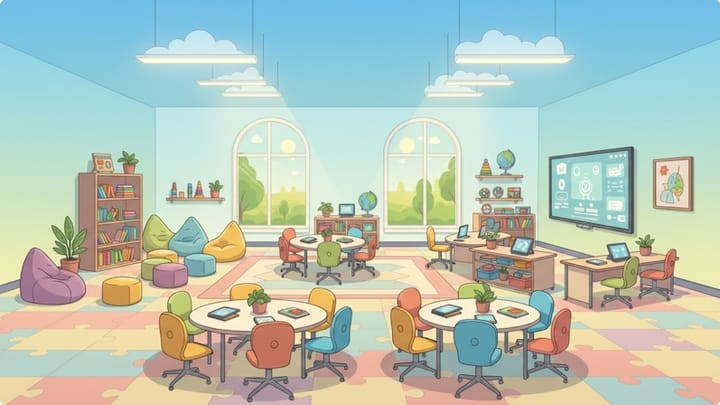
We often underestimate the sensory load of a classroom. Fluorescent lights, buzzing projectors, and cluttered walls can be torture for neurodivergent students.
- Quick Fixes:
- Use lamps instead of overhead lights when possible.
- Create a "Quiet Corner" (not a punishment corner) with noise-canceling headphones.
- Allow fidgets, but create a "fidget contract" so they are tools, not toys.
How to Create Accessible Lesson Materials
You don't need to be a graphic designer or a tech wizard to make your materials accessible. In fact, making materials accessible usually makes them cleaner and easier for everyone to read.
Here is a checklist for your handouts, slide decks, and digital resources:
1. Font and Readability
- Fonts: Avoid cursive or overly decorative fonts. Stick to clean, Sans Serif fonts like Arial, Verdana, Calibri, or Open Sans. These are easier for students with dyslexia to decode.
- Size: Keep body text at least 12pt (14pt is better). On slides, go for 24pt minimum.
- Spacing: Use 1.5 line spacing. Dense blocks of text are intimidating and difficult to track.
2. Color and Contrast
- Contrast: Ensure there is high contrast between the text and the background. Black text on white (or off-white) paper is standard for a reason. Avoid yellow text on white backgrounds or red text on green backgrounds (color blindness issues).
- Meaning: Never use color as the only way to convey meaning.
- Bad: "Click the red button."
- Good: "Click the red button labeled 'Submit'."
3. Digital Accessibility (The "Alt Text" Rule)
If you are using Google Classroom, Canvas, or Schoology, you must ensure your digital files are readable by screen readers (used by students with visual impairments).
- Alt Text: When you insert an image into a Google Doc or Slide, right-click and select "Alt Text." Write a brief description of what the image conveys (e.g., "Chart showing the growth of the population from 1900 to 2000").
- Headings: Use the built-in "Heading 1," "Heading 2," etc., styles in your word processor. Don't just make text bold and big. Screen readers use those Heading tags to help students navigate the document.
4. Video Captions
If you show a YouTube video, turn on the captions.
- Why? Obviously, this helps students with hearing impairments. But studies show that all students retain information better when they read the captions while listening. It also supports your ELL students by connecting the written word to the spoken word.
Conclusion: Give Yourself Grace
Implementing all of this—culturally responsive practices, deep inclusion strategies, and accessible design—is a journey, not a sprint. You cannot overhaul your entire teaching practice in a single weekend.
Start small. Maybe next week, you focus purely on fonts and formatting. The week after, you focus on sentence stems for class discussions.
Remember, the goal of inclusion isn't perfection. The goal is belonging. It’s about creating a space where a student walks in and feels that the environment was designed with them in mind, not in spite of them.
When we build classrooms that support the most marginalized among us—the students with severe disabilities, the students learning English, the students from trauma backgrounds—we inevitably build classrooms that are better, kinder, and more effective for every single child.
And you? You’re doing a great job. Keep advocating, keep adapting, and keep connecting. You are the difference maker.